
Every machine you own.Filled in for you.
Equipment IQ builds the record for every machine on its own: decoded from the VIN, added from your Trnsact deals, kept current by telematics and checked against lien and theft records. Quotes, payments and financing from your dealer live in the same app.
Sign up with Google or your email. No password.
- Decoded from the VIN
- Added from Trnsact deals
- UCC lien search
- Theft registry + NER
- Stripe payments
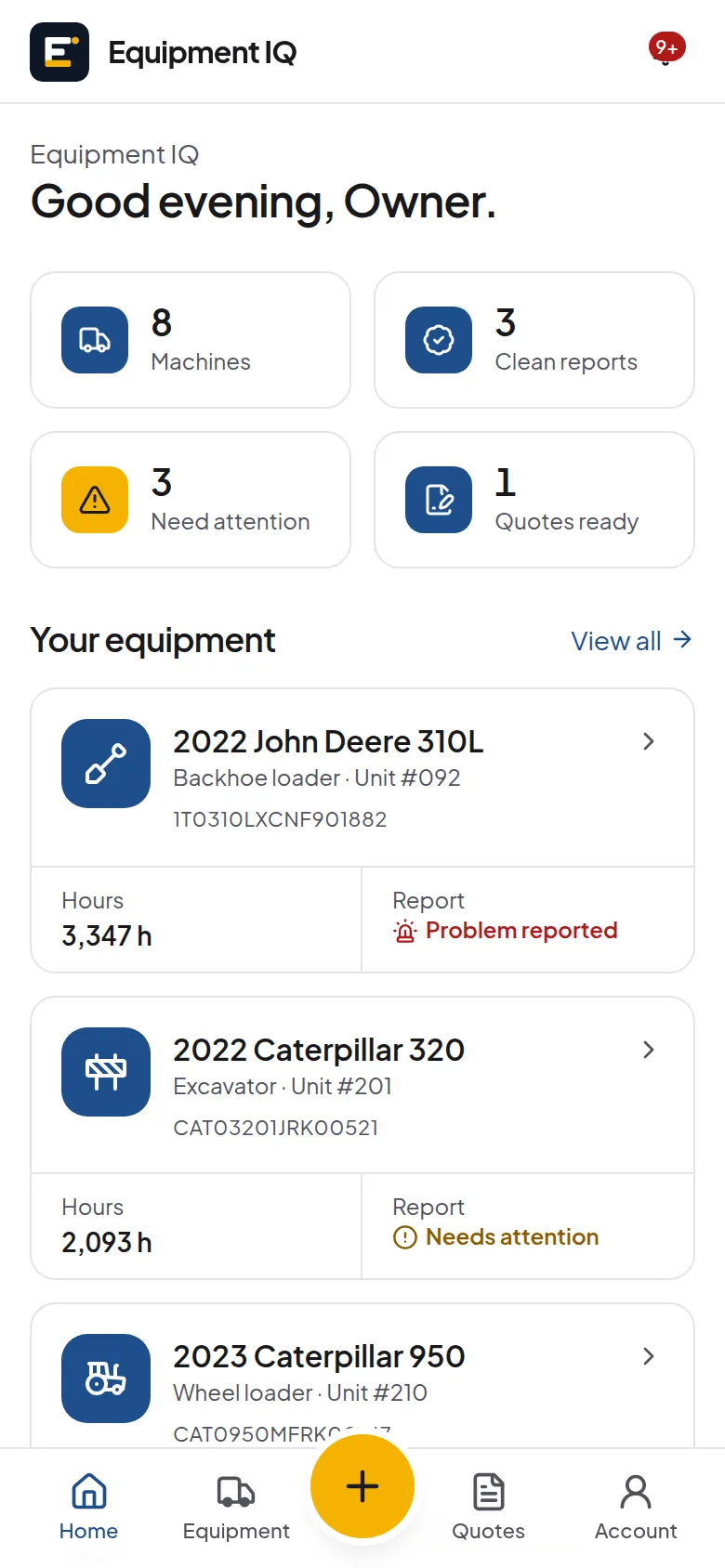
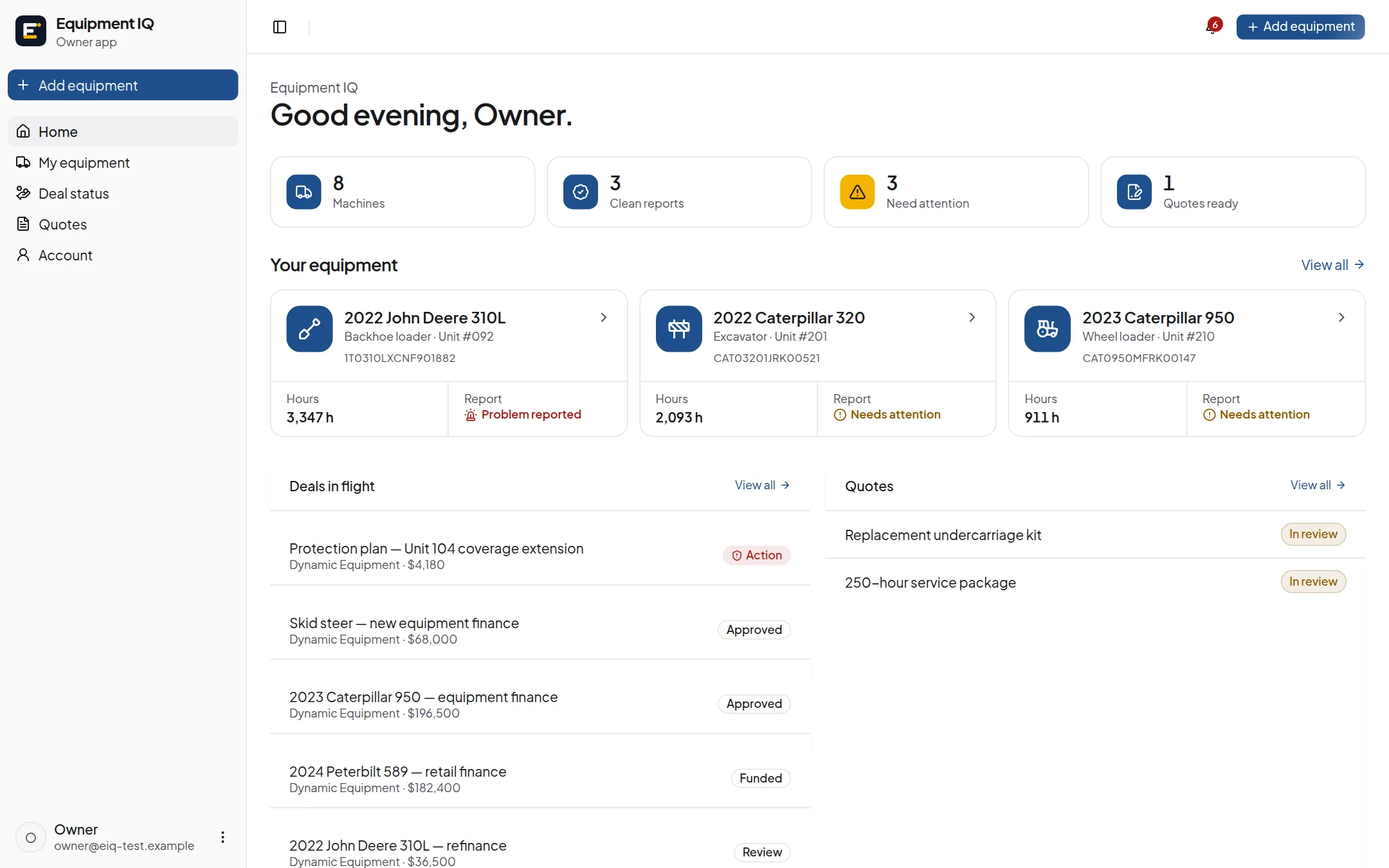
Every record is filled from real sources, never typed in
The record builds itself
Nobody re-keys a spec sheet. Each fact on a report says where it came from, and anything we don't know says so.
Identity & specs
NHTSA vPIC · manufacturer PIN rules
Scan or paste a VIN or PIN. Year, make, model, type and plant are decoded, never typed.
Machines from deals
Trnsact
When a Trnsact deal is accepted, the machine lands in the buyer's equipment on its own.
Hours & location
ISO 15143-3 (AEMP 2.0) feeds
Connected machines report hours, fuel and fault codes straight from the OEM's telematics.
Liens
State UCC open data
UCC filings that list the machine's serial number, with the secured party and the lapse date.
Theft
Equipment IQ registry · NER
Every machine is checked against our registry and queued for an NER IRONcheck automatically.
Market value
EquipmentWatch
Values and specs for the exact make and model, when the dealer connects EquipmentWatch.
Unknown stays unknown: a title or owner count with no record behind it reads “Not on file”, and a machine is only called theft-clear after a real check has come back clear.
Built for people who run equipment
A complete record of every machine, and a direct line to the dealer who sold it.
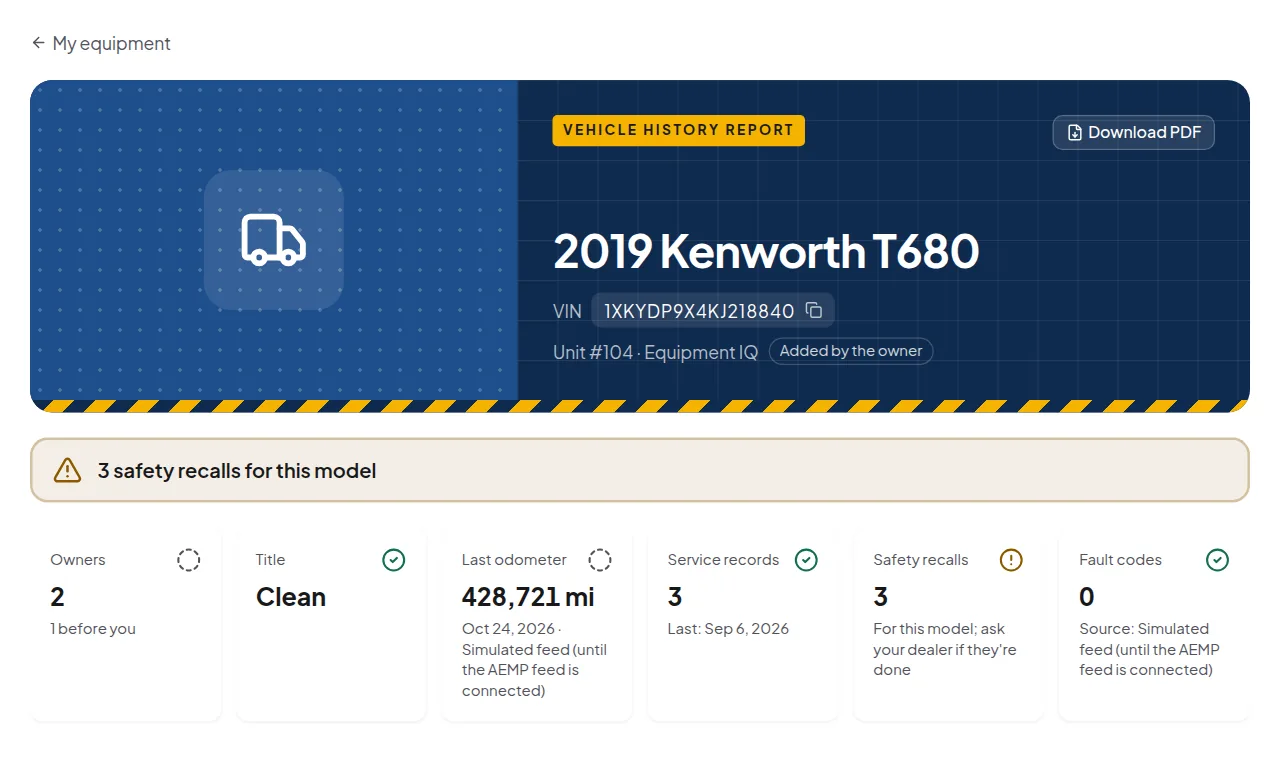
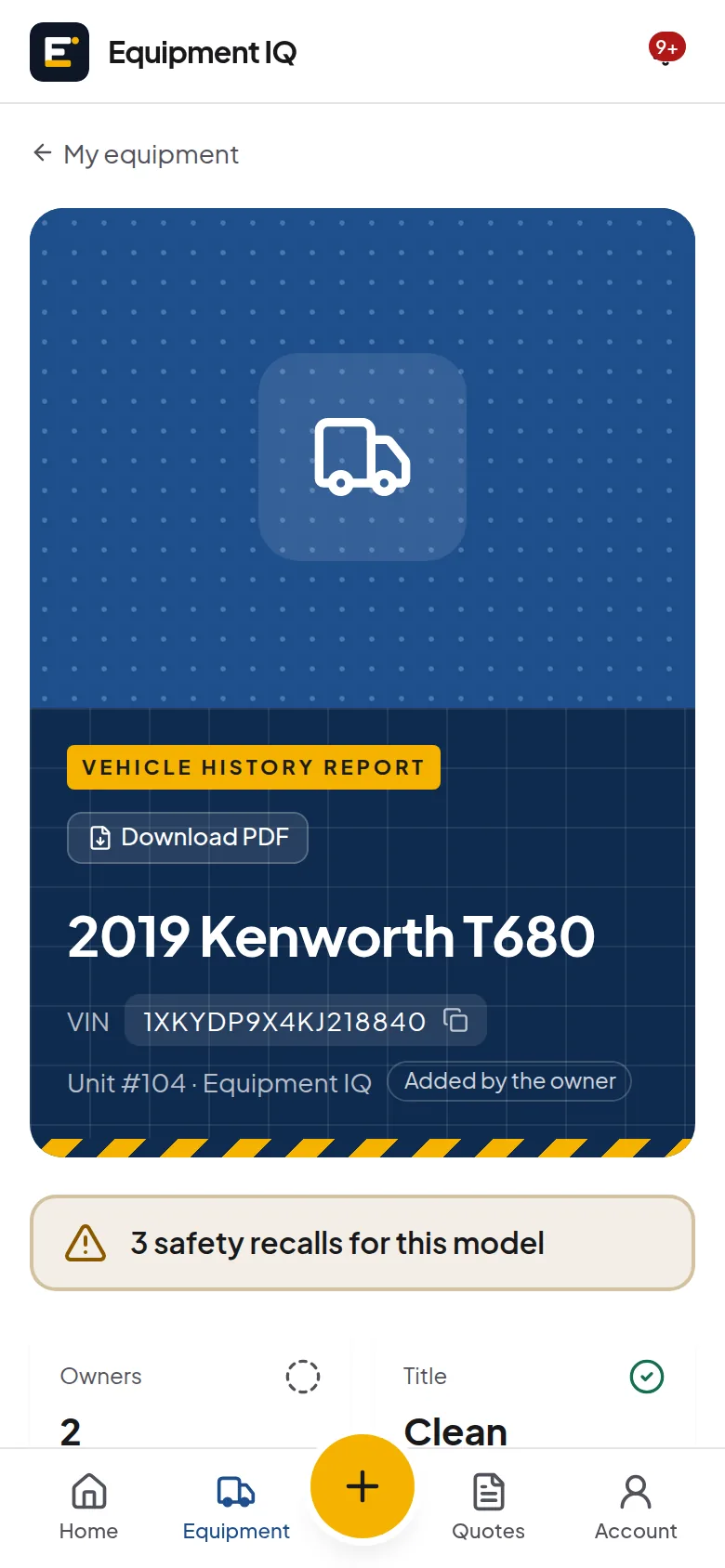
A history report for every machine
Specs, recalls, hours, service, liens and theft checks, each with its source. Download it as a PDF.
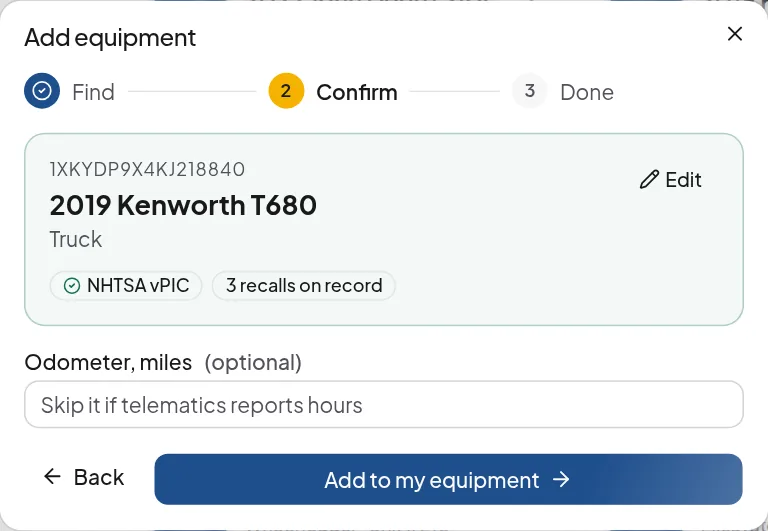
Add a machine in seconds
Scan the VIN or serial with your camera. We decode it and only ask for what we couldn't find.
Trnsact quotes
Financing and protection proposals from your dealer: monthly payment, term, products and signature.
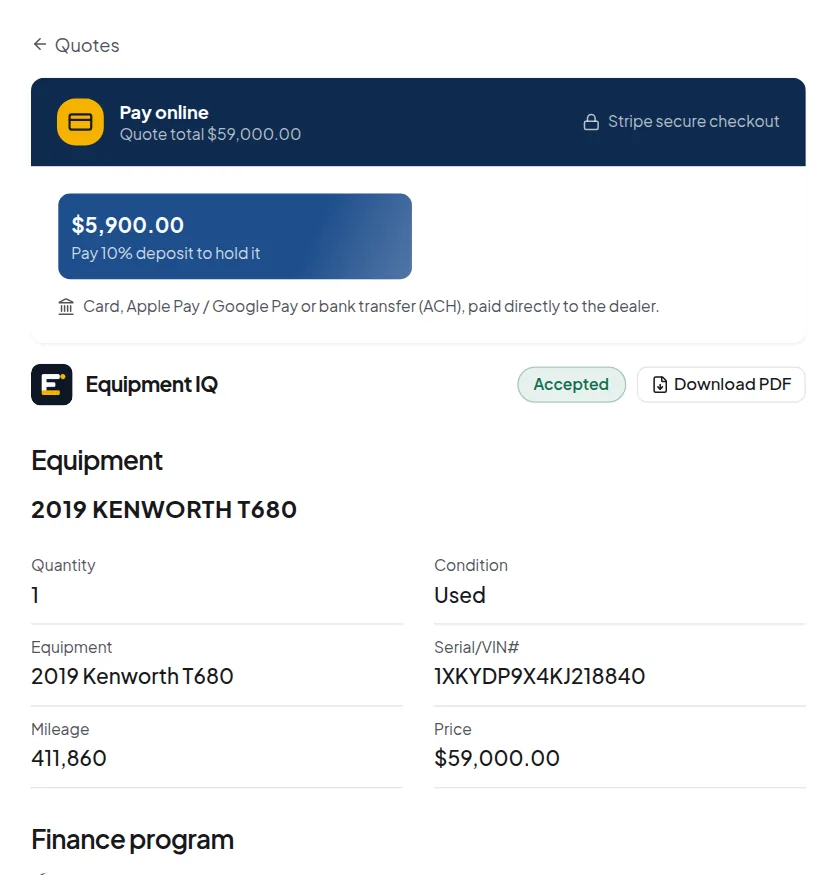
Lien and theft checks
UCC filings that name the serial, our theft registry and NER, checked for you.
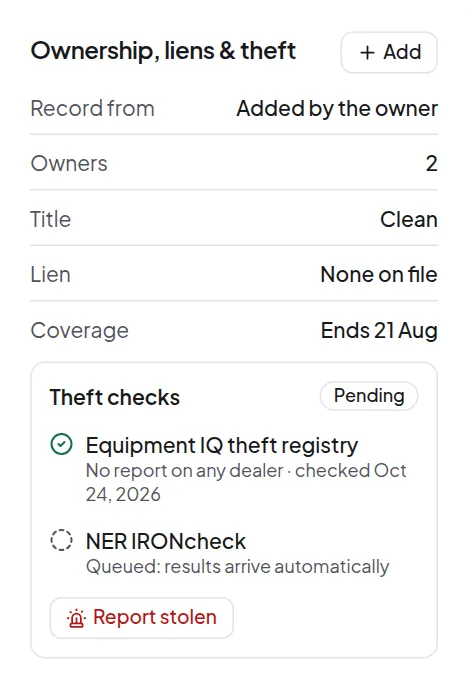
All your equipment
Hours, report status and what needs attention across every machine you own.
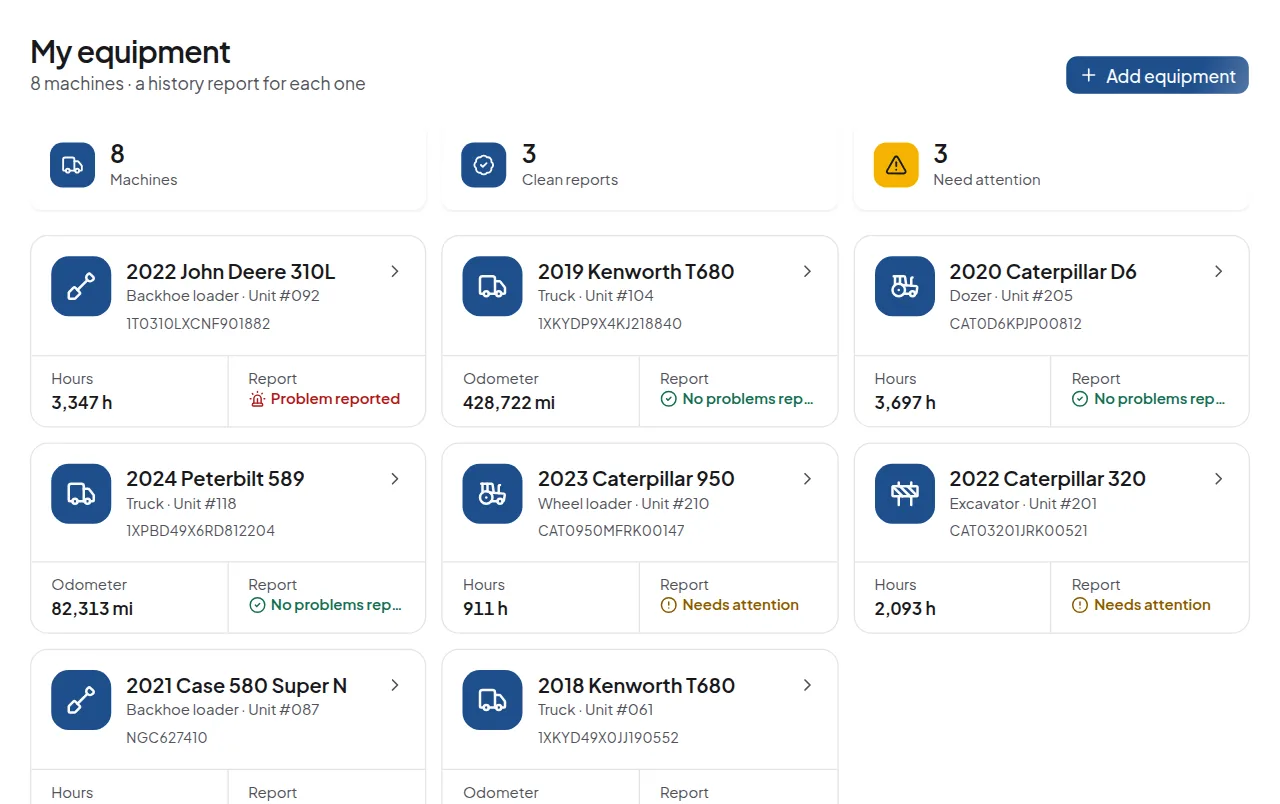
Know everything about a machine before it costs you
Every machine gets a report that keeps itself up to date: what it is, what's been done to it and what's coming.
- Decoded specs and safety recalls straight from NHTSA
- Hours history from the machine's telematics, with a rollback check
- UCC filings that list the serial, from state records
- Theft checks against our registry and NER
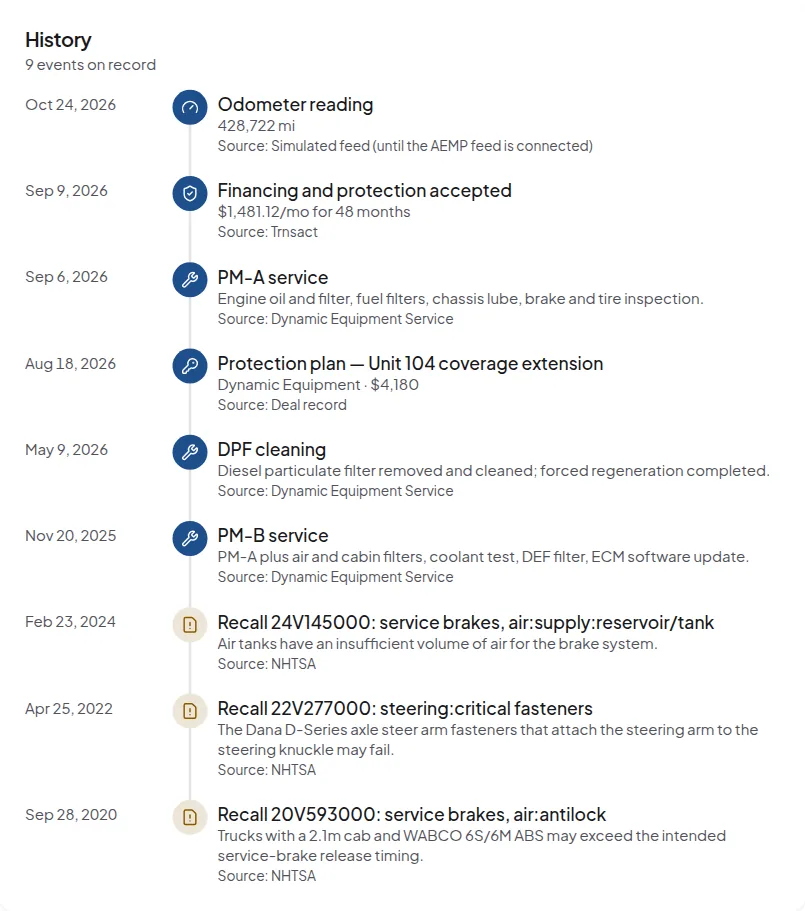
Quotes you can actually read
Your dealer answers every request with a Trnsact proposal. It arrives in the app the moment it's sent, matched to your email.
- Monthly payment, term and due today, front and centre
- Service contracts with coverage and deductible
- Accept and sign, then pay the deposit in the app
- Your rep's direct line on every quote
From quote to paid, in one app
No more phone calls to read out a card number or email chains of PDFs.
Pay the deposit right from the quote
Card and bank payments go straight to the dealer's own Stripe account. Equipment IQ never sees a card number.
- Deposit, due today or the full amount
- Receipts and payment history in the app
- Cards and billing details managed in Stripe
Apply for financing once
Fill in the business once, prefilled from state business registries, then send it to lenders through Trnsact.
- Business details looked up, not typed
- One application, many lenders via Trnsact
- Status and documents in the app
Up and running in a minute
- 1
Scan the VIN
Point your camera at the plate or paste the number. Machines from Trnsact deals are already there.
- 2
The report fills in
Specs, recalls, liens, theft checks and hours, each with its source, kept current for you.
- 3
Quote, pay, finance
Request service or parts, get a Trnsact quote, pay the deposit and apply for credit in the app.
Made for the job site
Install Equipment IQ on your home screen in seconds. Big buttons, a camera VIN scanner, and your reports are there when the signal isn't.
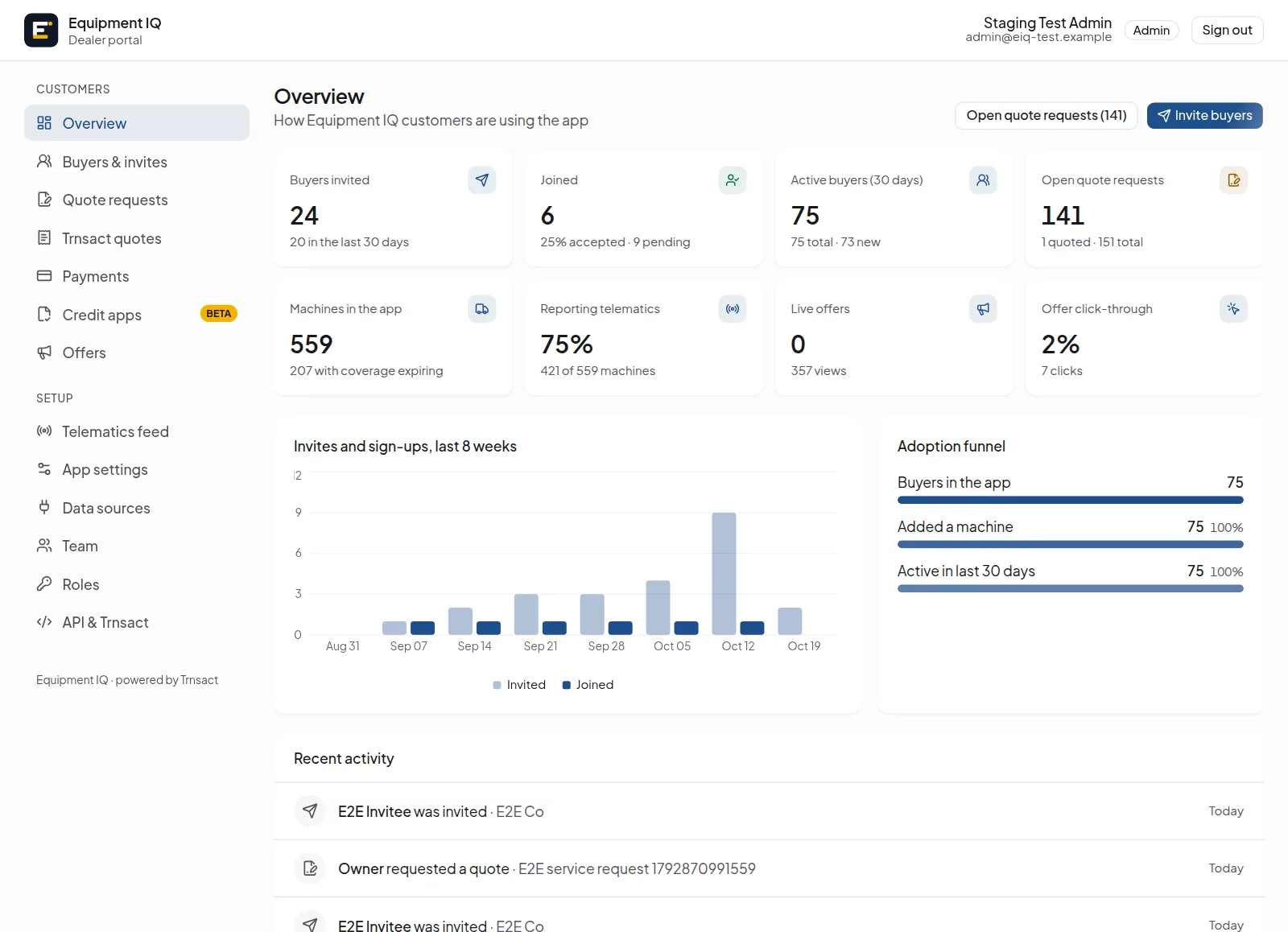
Give your buyers their own Equipment IQ
Equipment IQ runs as your app, managed from your own portal. Every dealer is its own tenant with its own buyers, quotes, payments and settings, and everything is also available as an API.
Your logo, colours, icon and domain. Buyers install it as your app.
One link or a CSV of hundreds; see who joined and who's active.
Every quote request comes with the machine's full record; reply with a Trnsact proposal.
Deposits and full payments through your own Stripe account, with refunds and receipts.
Applications arrive with public records attached, ready to send to lenders through Trnsact.
Publish financing, service and parts offers; see views and taps.
Each dealer's buyers, quotes and settings are kept to its own tenant.
Sign in with Google or a one-time email code.
Payments run on the dealer's Stripe account; no card numbers here.
Portal and platform actions are written to an audit log.
Questions, answered
Your fleet deserves a better record
Free for buyers whose dealer offers Equipment IQ. Sign up with Google or your email in under a minute.